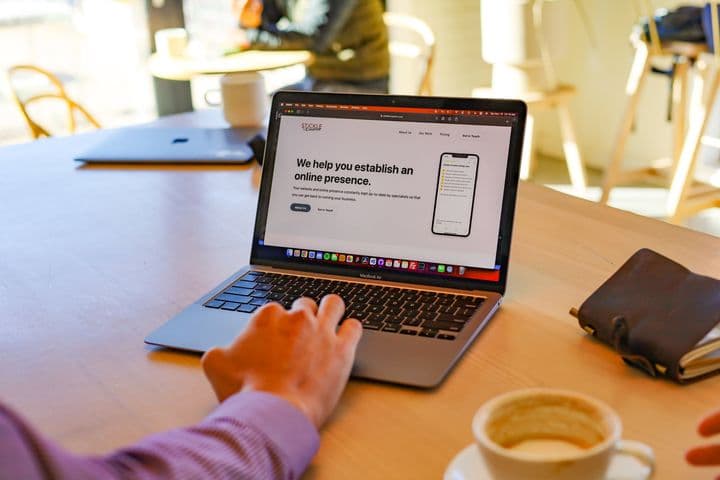
People often check multiple sources online before doing business with you. They are looking for information like: Are you actually trustworthy? Do you have good reviews? What does your website say you do? Having your information available and looking consistent and credible helps you close that deal when someone is evaluating your company.
If you're starting a new business or tackling your digital setup for the first time in a long time, here's what I'd recommend having in place and where I'd start.
Start With Your Website, Phone Number, and Address
Start here because these are the details you'll need when you create your Google Business Profile. Google is going to want a website, a phone number, and potentially an address or service area.
Your website doesn't have to be a large site. A simpler landing page can be a hub for everything. Even at an earlier stage, it lets you nail down and reserve your domain name, so as you grow, you already have it up and running and can keep optimizing.
At a minimum, your website should include:
- Your business name, address, and phone number, consistent with your other profiles
- Your services or products, listed clearly so someone can skim your content and easily understand what you do
- Your service area and/or address, depending on how your business operates
- Your business hours, if people can visit or call you during set hours
You'll also want a phone number dedicated to your business. If you run multiple businesses, I'd recommend a different number for each one. If you're using a cell phone, you can add a second SIM or phone line. You can also use Google Voice, Twilio, or another voice over IP number.
Even if you run a virtual business, it's useful to have a mailing address for your business listings and website. It needs to be somewhere you can actually collect mail, so you can't just use a fake address. A UPS box or PO box can work, but it's not ideal. Coworking spaces also often have mailbox services, where mail is sent to their building under your business name and you can go in and grab it.
You want a unified name, address, and phone number everywhere. To have those unified, you've got to actually have them.
Set Up a Business Email on Your Domain
Next, set up a professional email address on your domain. Don't use a free Yahoo, Gmail, or Outlook address. You've already registered a domain name tied to your business, so use an email address connected to it. That way, you're not looking like a fake business running on a Gmail account.
People often choose Apple Business Email, Google Workspace, Microsoft 365, or Proton Mail for their business email accounts. However, if you set up your website through something like Stratiom WordPress Hosting you may be able to get free business email account accounts with your website hosting.
You can then use that email when you create other accounts, so they're tied to your business instead of a personal email.
Create Your Google Business Profile
Your Google Business Profile is a cornerstone of your online presence. It's especially useful if you have an in-person physical location, but even if you don't, you can still set it to a service area.
Fill out all of the details about your business that are real. That includes your actual business name, phone number, and website link. If you've already set up social media profiles, you can link to those too. Include a short description that clearly communicates what your services or products are.
The one thing to avoid is adding a business address if you don't have a real business location. Google will do a verification to make sure that it's a real address and that your business operates there. If you can't show that the address is actually your business, you risk getting a locked out of your Google business profile. Unless you actually operate your business out of a brick and mortar location, choose the service area option when setting up your Google business profile.
Claim Your Social Media Profiles
For most businesses, it's useful to have a presence on the popular social media platforms. Not every business needs to post regularly, but having your profile set up means people looking for you can at least find your information.
It's also a good way to reserve your name. As you grow, you can start posting more in expand your online presence. It also helps prevent someone else from taking your name or creating a page that impersonates your business.
Connect Everything Back to Your Website
As you set up your profiles, cross-link everything. If you set up a Facebook page, add a link to it on your website and include your website link on Facebook.
As soon as you have customers, start asking them to leave a review on your Google Business Profile so you can build reviews early. After you get a few, include them on your website. You can copy a few of the best ones, or even better, use a widget that automatically pulls in reviews.
Another easy win, especially if you have an in-person location, is embedding your Google map on your website. Go to Google maps, search for your business by name, click the share button and use the embed a map option. Put that on your website and it shows where you're located, along with your business name, address, and review rating. It's a good way to tie your website back to your Google Business Profile, and Google likes to see it.
Add the Accounts and Tools That Fit Your Business
If you often have meetings with clients, set up a scheduling tool like Cal.com or Calendly. Instead of a bunch of back and forth, you can send someone your scheduling link and they can pick a time on your calendar.
If you plan to run Google Ads, social media ads, or anything else that points back to your website, have Google Analytics running early. You'll get a baseline of how your website performs without ads, so if you start running them, you can see how much your engagement increased.
If you join your local Chamber of Commerce, make sure you set up your profile there. Chambers are normally membership-based, and they often have a business directory listing their members. They might add you by default, but your listing might not be fully filled out, so go in and add whatever details they allow.
Check if any professional associations you belong to or vendors you're licensed to sell product from have directories. If they do, ask if you can be added.
A Few Other Things Worth Having
Start with a good old-fashioned business card. They're not terribly expensive to print, and they'll make you look a lot more professional when you're meeting a client or at a networking event. Create them after you've set up your website, email, and phone number, because all of that information goes on the card.
You'll also need a way to actually take digital payment. Relying on offline payment or having people send money to a personal account isn't a good way to run a business. Set up a separate business bank account, then set up a payment processor so you can take credit cards. If you're selling through your website, Stripe is typically an easy one to work with.
I'd also recommend doing some networking. Get a couple of pieces set up first, but don't hold yourself back. You might sell your service or get a referral, but don't go there thinking you're going to sell. The bigger benefit for a new business is being able to discuss your ideas with other owners who have done this successfully.